
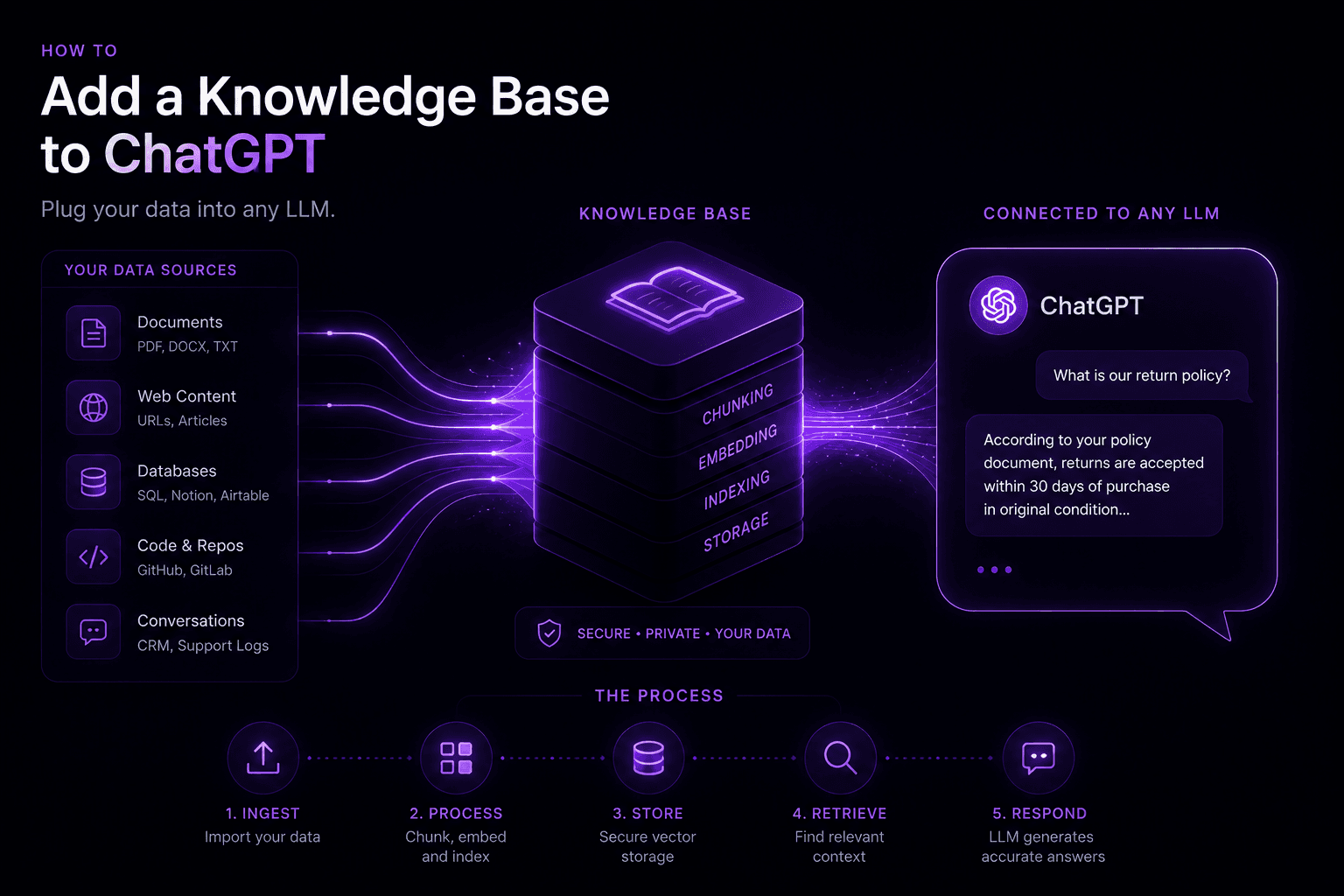
Adding a knowledge base to ChatGPT or any LLM requires building a RAG (retrieval-augmented generation) pipeline. Your documents are chunked, embedded into vectors, stored in a vector database, and retrieved at query time — grounding the model’s answers in your specific content rather than its general training data. With managed tools, a basic setup takes a few hours. Production accuracy with your real data takes 2–6 weeks.
Option 1: OpenAI Assistants API (fastest path)
OpenAI’s Assistants API includes file upload and retrieval built in. You upload your documents, and the API handles chunking, embedding, and retrieval automatically.
How to set it up:
- Upload your documents via the API or OpenAI dashboard (supports PDF, DOCX, TXT, JSON, and more)
- Create an assistant with
retrievaltool enabled - Create a thread, add the user’s message, run the assistant
- The assistant automatically retrieves relevant file content before answering
Pros: No vector database to manage, no embedding pipeline to build, fastest setup
Cons: Limited control over chunking strategy, can’t use your own embedding model, no hybrid search, OpenAI vendor lock-in, limited document update mechanisms
Best for: Prototypes and internal tools where you want something running quickly with minimal engineering.
Option 2: Custom RAG pipeline (production path)
For production use, a custom RAG pipeline gives you control over accuracy, cost, and architecture.
Step 1: Choose your vector database
| Database | Best for | Getting started |
|---|---|---|
| — | — | — |
| Pinecone | Fast setup, managed | pip install pinecone-client |
| Weaviate | Hybrid search, self-host option | pip install weaviate-client |
| Qdrant | Large index, self-hosted | pip install qdrant-client |
| pgvector | Already on Postgres | CREATE EXTENSION vector; |