
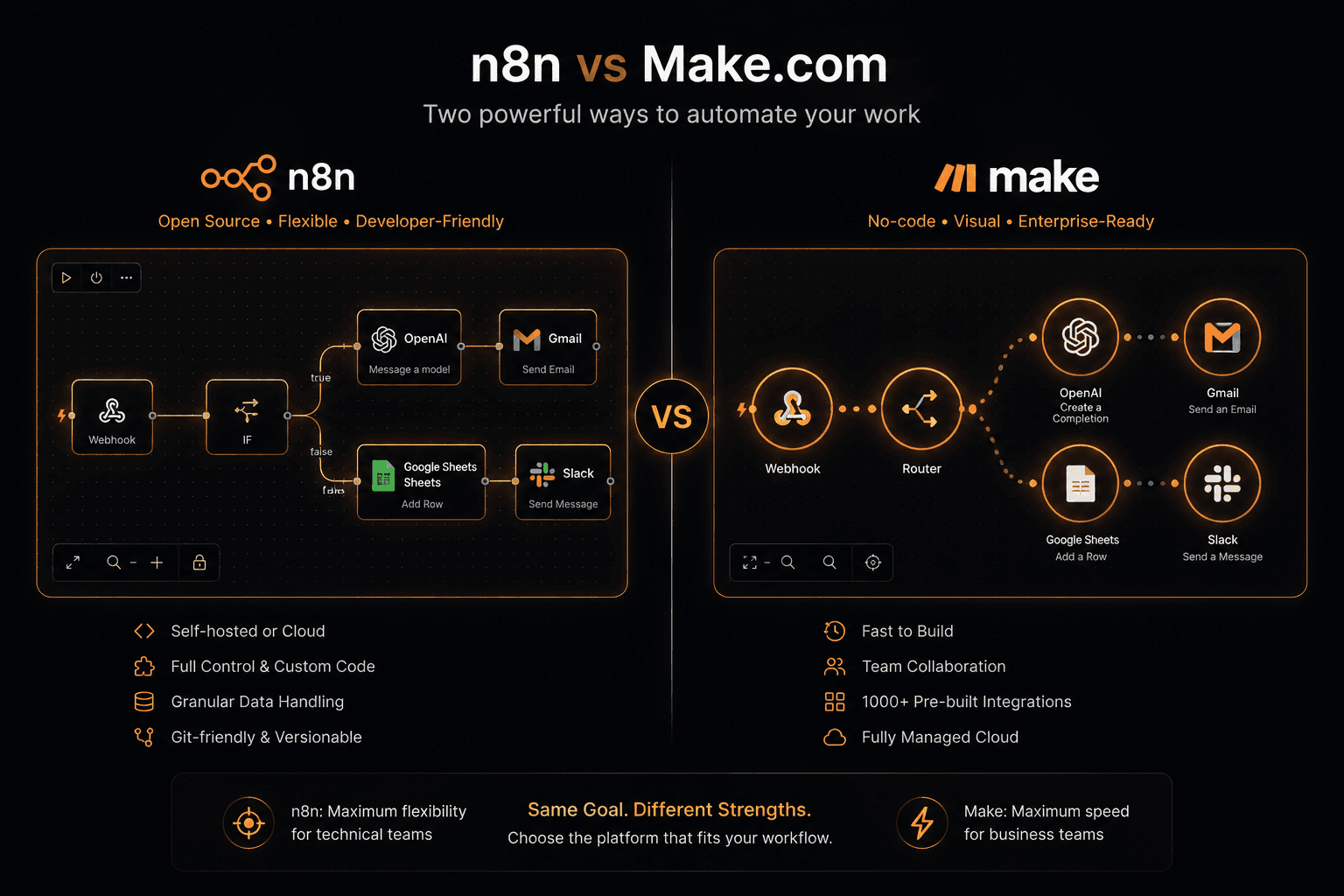
The real decision between n8n and Make.com isn’t about which one has more features — it’s about where you want control to live, and what you’re willing to manage in exchange for that control.
We’ve run both in production and migrated clients back and forth. Here’s how we actually choose between them.
Core Difference
- Make.com is fully cloud-hosted. You never touch infrastructure, you pay per operation, and non-technical teams can own it end to end.
- n8n is open source and can be self-hosted, run on your own cloud, or used via n8n.cloud. You get code-level control, no per-operation pricing when self-hosted, and you own the infra tradeoffs.
Everything else flows from that control vs. convenience axis.
Pricing: Where Teams Get Surprised
Make.com charges per operation (roughly: per module execution).
Example: a scenario that
- checks a Slack message
- looks up a row in Airtable
- sends an email
= 3 operations per run. At 10,000 runs/month, that’s 30,000 operations.
Typical tiers:
- Free – 1,000 operations/month
- Core ($9/mo) – 10,000 operations/month
- Pro ($16/mo) – 10,000 operations/month + faster execution
- Teams ($29/mo) – 10,000 operations/month + multi-user
Extra operations: about $0.001–0.002 each depending on tier. At 100,000 operations/month, expect roughly $100–200/month on top of the base plan.
n8n.cloud charges per workflow execution, not per operation.
Example: Starter ($20/mo) gives you 2,500 executions/month. If each execution averages 10 operations, that’s 25,000 operations for $20 — where Make.com might be $80–150 for similar volume.
Self-hosted n8n is free aside from infra. A $20/month VPS can comfortably handle thousands of workflows per day.
Pattern we see in practice:
- Very low volume → Make.com is often cheaper and simpler.
- As volume grows → n8n (especially self-hosted) becomes dramatically cheaper.
Where Make.com Wins
Make.com is the better fit when you prioritize ease of use and polished SaaS integrations over deep control.
Strengths:
- Visual editor & debugging
- Real-time data preview at each module
- Step-by-step execution view
- Easy for non-technical users to understand and debug
- Integration library
- Pre-built auth flows
- Pre-tested API mappings
- Solid error handling
For mainstream SaaS (Salesforce, HubSpot, Jira, Google Workspace, etc.), Make’s modules are often more stable and more feature-complete than n8n’s equivalents.
- Monitoring & observability
- Real-time execution monitoring
- Clear visibility into what data flowed where
- Fast failure diagnosis for non-technical operators
Choose Make.com when:
- Your team is small and mostly non-technical
- You’re connecting common SaaS tools
- You don’t need heavy custom code or complex logic
- You’re under ~30k–50k operations/month
- You don’t want to manage any infrastructure
Where n8n Wins
n8n shines when you have developers involved, care about data control, or are pushing beyond simple SaaS-to-SaaS automations.
Strengths:
- Custom code everywhere
- Native JavaScript in nodes
- Handle complex transformations, parsing, and business logic
- No hard ceiling like Make’s formula system
- Self-hosting & data sovereignty
- Run on your own servers or private cloud
- Keep data within your infrastructure
- Better fit for regulated industries (finance, healthcare, legal) where data residency and compliance matter
Make.com, even with EU data processing agreements, still routes data through their infra.
- AI-native capabilities
- LangChain integration
- AI Agent node
- MCP (Model Context Protocol) support
This makes n8n a strong choice for AI pipelines and LLM-heavy workflows.
- Developer workflows & version control
- Workflows as JSON
- Store in git
- Dev/staging/prod environments
- CI/CD deployment of workflows
Make.com has no real equivalent for git-based, auditable workflow management.
Choose n8n when:
- You have developers on the team
- You need custom code and complex logic
- You process sensitive data and need self-hosted options
- You’re building AI-native or LLM-heavy workflows
- Your operation volume is high
- You need version-controlled, auditable workflows
The Scale Crossover
From real client data, the economic crossover usually lands around 30,000–50,000 operations/month:
- Below ~30k–50k operations/month
- Above that range
- At 500,000+ operations/month
Where Zapier Fits
Zapier is the third name that always comes up.
- It’s the oldest and most recognisable
- It’s also now the most expensive at meaningful volumes
- Pricing is per task and significantly higher than Make’s per-operation pricing
- No self-hosted option
- Limited custom code (Code by Zapier is constrained)
Zapier makes sense if:
- Your team is very new to automation
- You’re doing low-volume, simple workflows
- You value maximum simplicity and familiarity
Otherwise:
- Make.com usually covers Zapier’s use cases at lower cost
- n8n covers Make’s use cases with more flexibility and control
Migration: What It Actually Takes
We frequently migrate teams from Make.com to n8n as they scale. Key considerations:
- Scenario mapping & rebuild
- No 1:1 automated migration
- Make and n8n have different architectures
- Each scenario must be rebuilt manually
- A typical SME with 20–30 active scenarios → about 1 week to migrate and test properly
- Infrastructure decisions (for self-hosted n8n)
- Deployment: usually Docker on a VPS or managed Kubernetes
- Database: SQLite for low volume; Postgres for production
- Backups, monitoring, and basic SRE hygiene
- Recreating credentials
- OAuth connections
- API keys
- Webhooks
This is usually the most tedious part and needs explicit time budgeted.
Our Recommendation
If you’re a non-technical team:
- Start on Make.com.
- The UX is better for non-developers and the integrations are polished.
- You can always migrate to n8n later as complexity and volume grow.
If you have any developers at all:
- Start on n8n.
- Higher ceiling, better AI tooling, and custom code pays off quickly once you go beyond basic automations.
If you’re already on Make.com and feeling pain (cost or complexity):
- Consider migrating to n8n.
- We can assess your current scenarios, estimate migration effort, and handle the rebuild so your team isn’t disrupted.
- When you’re ready, talk to us about migration.